Telegram Advertising Groups: Groups vs Channels Guide
Thinking of buying ads in Telegram advertising groups? How groups differ from channels, what a post costs, and what to check before you pay.
By Aaron, PAYchat founder · PAYchat team · Updated
You've probably seen them. Telegram groups called "Ads Here" or "Promote Your Channel," where everyone drops a link and leaves. And now you're wondering if that's where Telegram advertising actually happens, or if your money's better spent somewhere else.
Short answer: it depends on what you mean by "advertising groups." So let's sort that out first, then look at groups vs channels, what a post costs, and how to check a group before you pay.
What are Telegram advertising groups, really?
When people search this, they usually mean one of two things.
The first is the free-for-all promo group. Anyone can post, so it's mostly other advertisers dropping their own links. You're shouting into a room full of people who are also shouting.
The second is a real community group, or a channel, where the admin sells ad slots. You pay, the admin posts your message, and their audience actually sees it.
That group-versus-channel part matters more than it looks. Telegram's own groups overview says groups are built for conversation and can hold up to 200,000 members, while channels are for broadcasting to large audiences and can have unlimited subscribers.
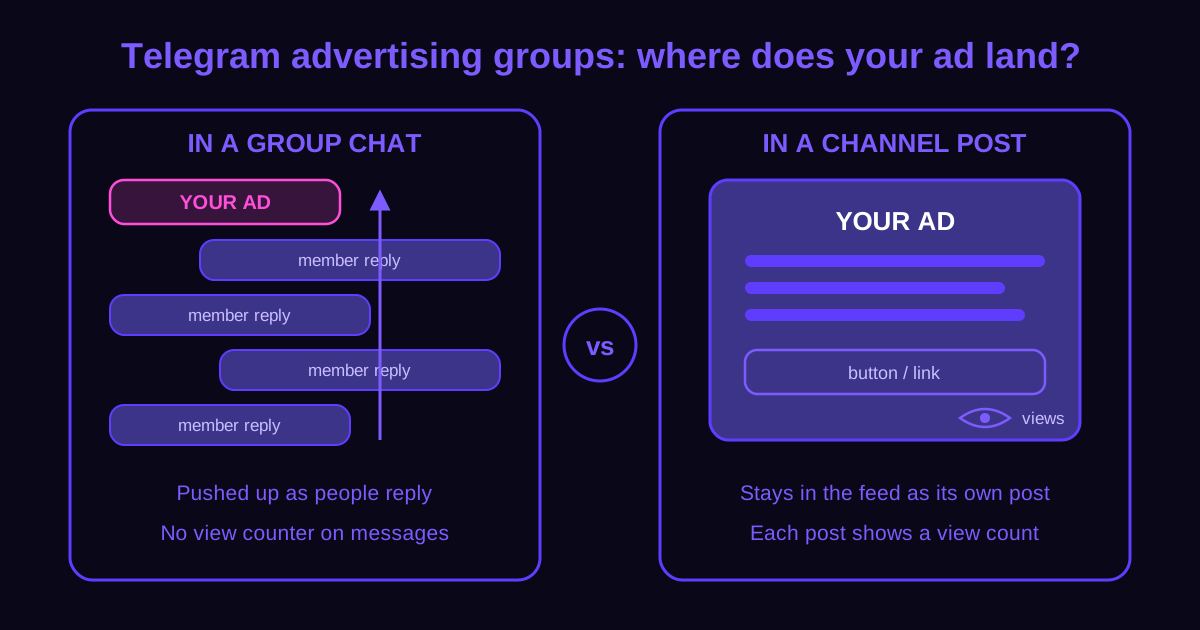
In plain terms, your ad in a group is one message in a moving chat. In a channel, it's its own post that stays in the feed and shows how many people viewed it.
Should you advertise in a group or a channel?
Once you know which kind you're looking at, the next question is where your ad does better. Here's how the two stack up when you're the one paying.
| What you care about | Group | Channel |
|---|---|---|
| Who posts | Any member (if allowed) | Only admins |
| Where your ad sits | Inside the chat, pushed up as people reply | As its own post in the feed |
| Can you see views? | No view counter on messages | Each post shows a view count |
| How you usually buy | Ask the admin, or post free in promo groups | Pay the admin for a post |
| Size limit | Up to 200,000 members | Unlimited subscribers |
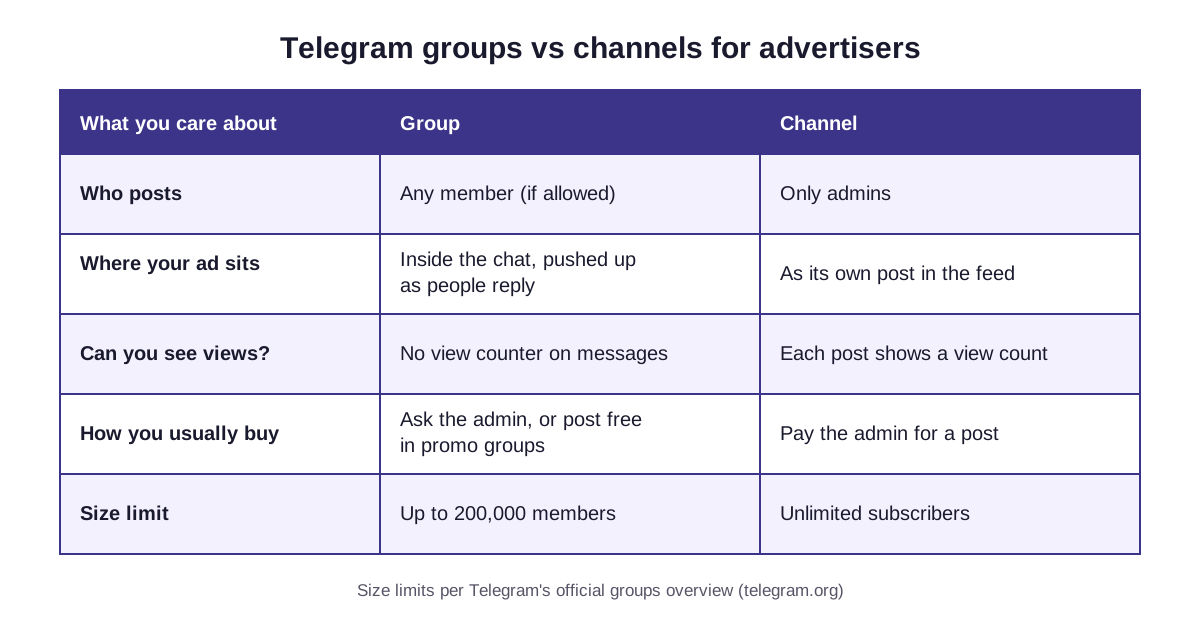
If you're new to this, I'd start with channels. The view count is the one number you can check yourself after your ad goes live, and a group just doesn't give you that. If you go that route, the step-by-step guide walks through buying a post.
That said, groups aren't useless. When members actively chat about your exact topic, a well-timed message can get real replies. Just ask the admin to pin it, since pinned messages sit at the top of the chat and your ad won't get buried in ten minutes.
How do you tell if an advertising group is worth paying for?
So how do you tell a good group from a dead one? Here's what I'd look at, in this order.
Start with the header. Groups show members, channels show subscribers. If it's a channel, nice, you'll have post views to check later.
Then scroll back a day or two and see what people actually talk about. If the chat's all football and you sell coding courses, you already have your answer.
While you're scrolling, notice who's posting. Real people asking questions and arguing? Good sign. A wall of links from other advertisers? Nobody's reading.
Last, ask the admin for a past ad's results. In a channel, that's the view count on an older sponsored post. In a group, ask what views, replies or clicks it got. A decent admin won't mind the question.
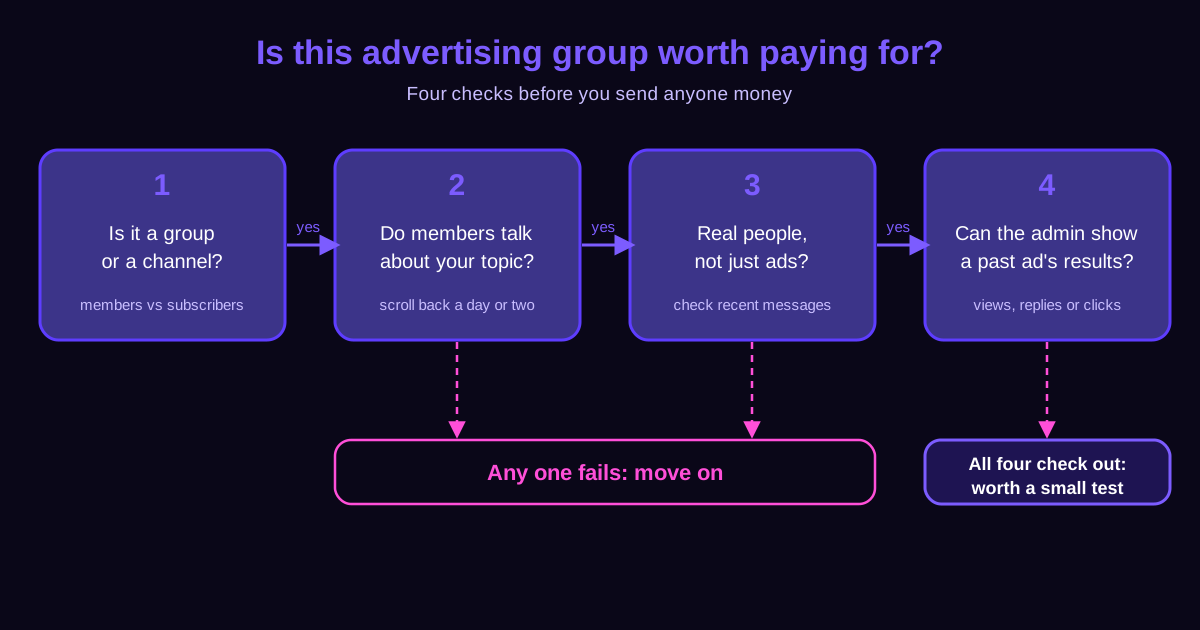
If all four check out, it's worth a small test. If any one fails, move on. There are plenty of other places to put a few dollars.
What does a post cost if you skip the free-for-all groups?
Now the part everyone really wants to know. Paid posts in real channels are cheaper than most people expect. On PAYchat, as of Nov 2026, the median price of one ad post is $6. Median just means the middle of the list, so half the channels charge less than that.
But price moves a lot by topic. On PAYchat, as of Nov 2026, the median per post is $4.75 for Entertainment (2,280 channels), $6.84 for Crypto (1,065), $14 for News (1,059), $7.60 for Business (942) and $4.56 for Education (916). The table below puts them side by side.
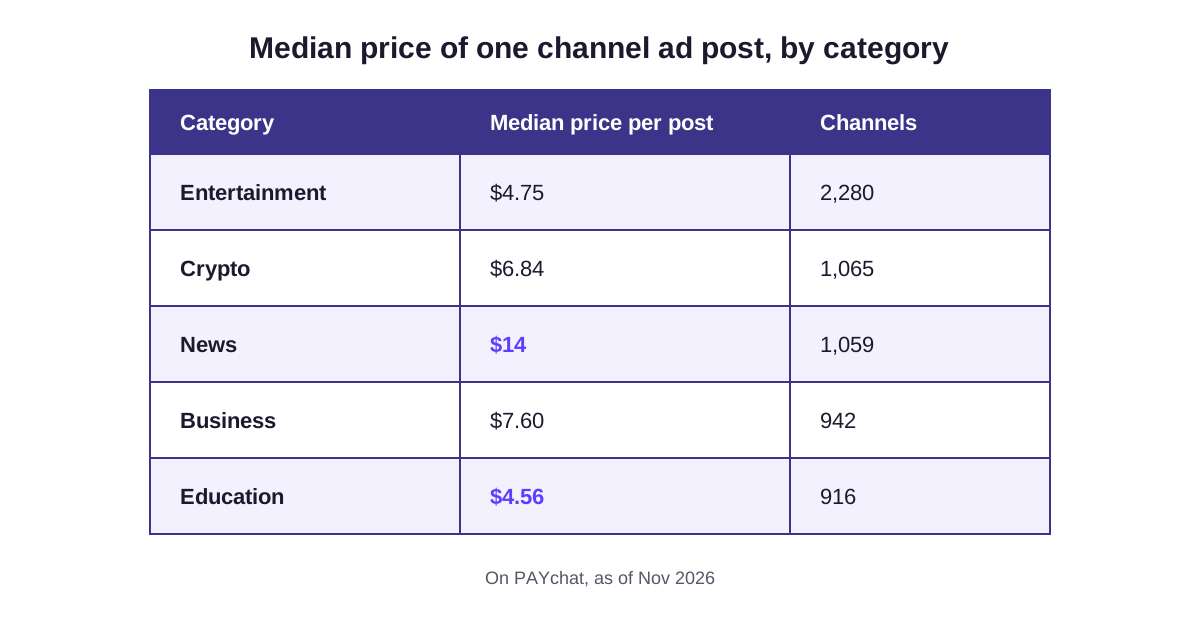
That means a News post costs about three times an Education post. So if your offer fits more than one topic, start with the cheaper one.
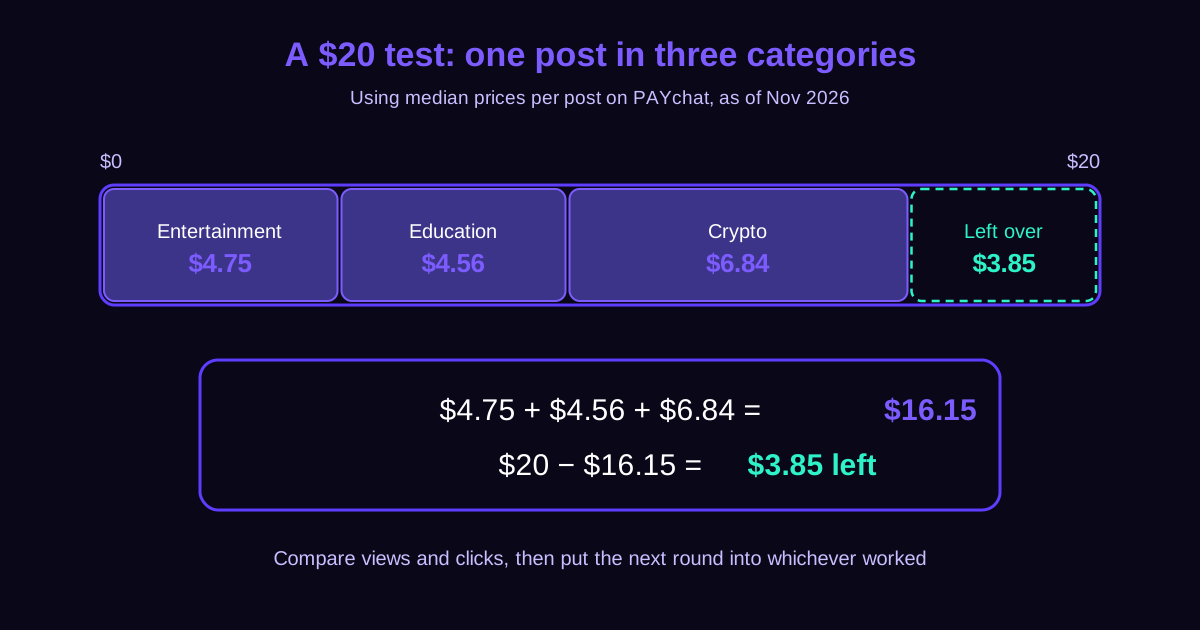
Here's an easy way to test with $20. Buy one post each in Entertainment ($4.75), Education ($4.56) and Crypto ($6.84). That's $16.15, and you've still got $3.85 left. Then compare views and clicks, and put the next round into whichever worked.
Want to run that test on real channels? PAYchat lists 7,906 of them by topic and price on its channel list, each with a fixed price per post, so what you see is what you pay. And if you're curious why one channel asks $4 and another $14, I went deeper on that in what one post really costs.
What should you watch out for?
Quick reality check before you jump in. PAYchat sells channel posts, not messages inside group chats, so if a live group conversation is what you're after, this isn't it. You'll also pay in USDT, a stablecoin that tracks the US dollar. Don't hold any yet? That's one extra step first.
The bigger thing to keep in mind is that you're paying for the post, not for results. A cheap post can still pull fewer views than you hoped. That's exactly why I keep pushing small tests, and here they don't cost extra: the minimum is 1 USDT and there's no advertiser fee.
What you do get is some protection on the money side. Your payment sits in escrow, meaning it's held in the middle until the job's done, and the channel only gets paid 24 hours after your ad is posted. Pay a group admin directly and there's nothing like that in between.
Timing's worth a quick check too. Only channels marked for instant posting go live within 60 seconds of payment, so look for that label if you need the ad up right away.
So, back to where we started. Those "Ads Here" groups are mostly advertisers talking to each other. A real channel, or a busy group that passes all four checks, is where your few dollars actually get seen.
PAYchat numbers in this guide come from PAYchat's own listing data as of Nov 16, 2026. Telegram rules are linked to official Telegram pages.
All guides and comparisons15 guides · 4 comparisons
Telegram channel ads


